This page will help you to manage the donation forms and the mailing list subscription forms. The Subscribe to this post forms are managed by a plugin called Post Notif; to manage the subscription form click here
To manage the donation forms and the mailing list subscription forms, hover over Forms in the left menu of any admin page.

Editing the forms
To adjust the fields or layout of the form click All forms.
To adjust, say, the mailing list subscription form, click on the title Subscribe to our mailing list
Adding form fields
New form fields, as well as layout items (such as horizontal dividing lines hr and text blocks), are found on the left of the form editing screen
Click the new field to add it. It will be added to the bottom of the list of fields where you can edit its details
Give it a label and leave its label position as Above Element. The Placeholder is a short line of text that will appear inside the input field on the website but which will disappear when the suer clicks inside it to type.
To make the field a required element open Restriction Settings and tick the Required box.
There are many other editing options for these forms. Please check the Ninja Forms documentation for further information.
Reordering form fields
On the form editing screen you will see the fields listed on the right hand side. Click and drag to reorder them
Deleting form fields
Click on the arrow for a particular form field to view its details
Click Remove at the bottom of the field information
Save your changes
When you have finished adding/editing/removing fields you must save your changes
Controlling what happens to the form
On the form editing screen click the Email & Actions tab

This screen shows what happens when the form is submitted, in this case the website administrator is emailed, the user who submitted the form is emailed, and a success message is displayed. Click on the title of the action to edit it.
Viewing the lists of subscribers and donors
Click the Submissions button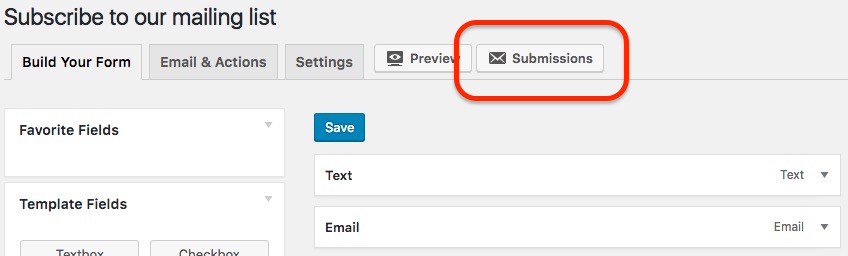
You will be presented with a list of those who have filled in the relevant form
You can download all the submissions as a .CSV file