The main tool for organising the website is the navigation menu. There is a single menu which provides the items in the Top navigation bar, the In this section menus, and the Footer menus.
From any admin page, look to the left hand menu and click on Navigation menu
You will now be on the Navigation menu screen
Adding an item to the menu
You can add links of any of the following types to the navigation menu:
 Pages
Pages- News/blog/comment items ("Posts")
- Publications
- Press releases
- Press links ("GM Freeze in the news")
- Current actions
- Categories (currently "News", "Blog", or "Comment")
- Publication Categories (currently "Briefings", "Thin Ice", etc.)
- Custom links (i.e., whatever you want)
For whichever you choose, click the arrow to show the list
By default it allows you to select one of the most recently added items of that type, but note you can View all or Search for the specific item you wish to add.
Find it, tick the item and click Add to Menu
Putting the new item in the correct place in the menu
The newly added item will automatically be placed at the bottom of the menu. Scroll down the page to find it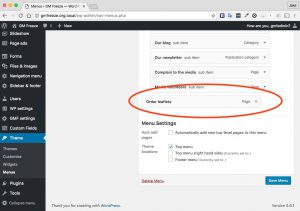
Click and drag to position it.
Save your change to the menu!
When you have made your changes don't forget to save the new configuration